
Independent workspaces
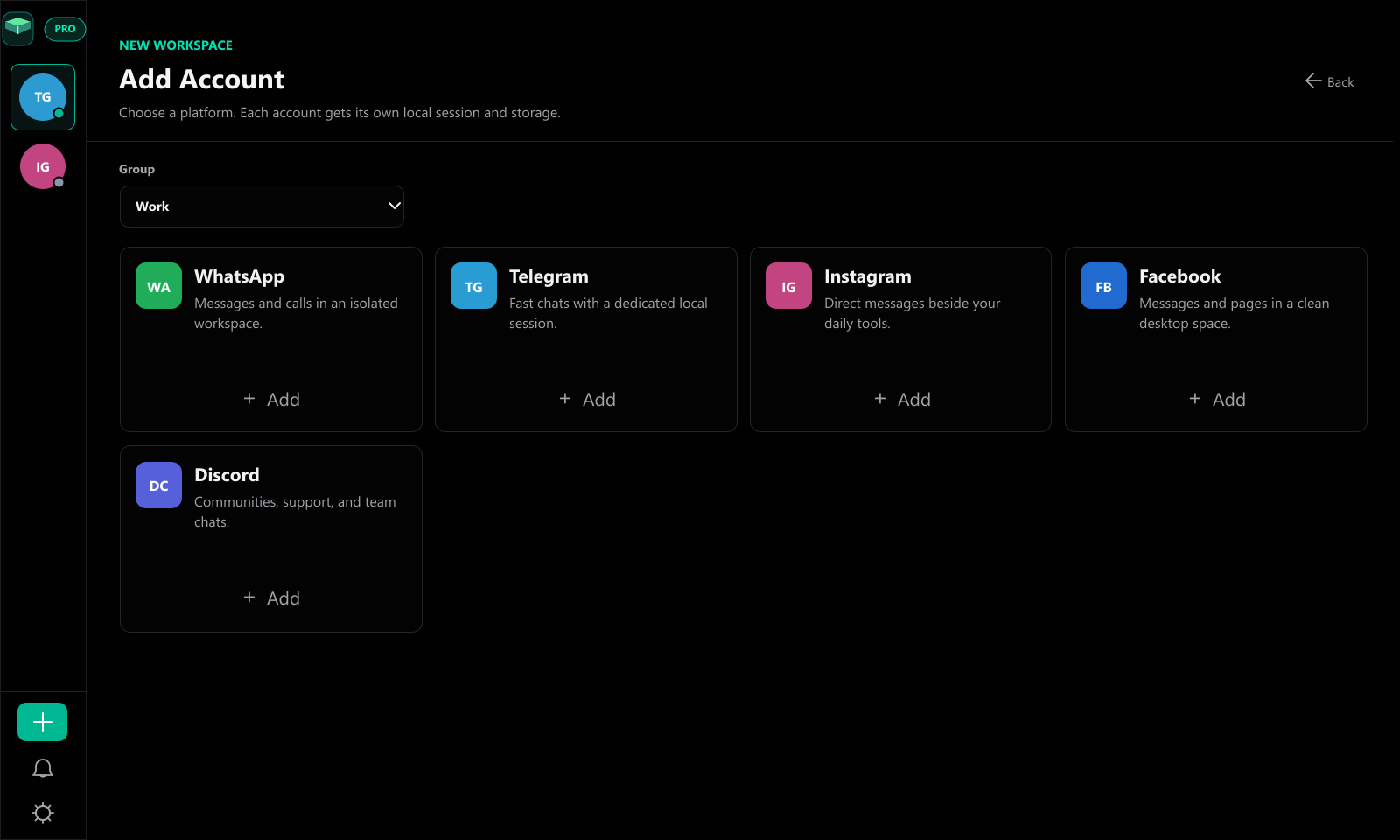
Add communication accounts as separate local sessions with their own storage, cookies, and workspace state.
TidyApp brings WhatsApp, Telegram, Instagram, Facebook, and Discord accounts into a clean desktop app for Windows and macOS with isolated sessions, Split View, Command Palette, and privacy-first local management.


New in v2.1.2
The Mac build now gets native polish: Menu Bar controls, Dock unread badges, hide-on-close behavior, Open at Login, and a universal DMG for Intel and Apple Silicon. Windows stays on the stable v2.1.1 installer.
Universal Mac build. Unsigned for now.Workspace first
TidyApp keeps the interface simple: a compact sidebar, grouped accounts, Split View for two workspaces, and fast actions for busy communication days.
Add communication accounts as separate local sessions with their own storage, cookies, and workspace state.
Group accounts for work, personal, clients, or support so the sidebar stays calm even on busy days.
Jump between accounts and workspace actions with sidebar shortcuts and the Pro Command Palette.
Use two Pro workspaces side by side when support chats, client threads, and team inboxes need context.
Keep non-priority accounts quiet during focus time while priority notifications can still come through.
Let inactive accounts sleep, then reload them when needed so your workspace stays responsive.
Protect TidyApp with a local lock while workspace metadata and settings stay on your device.
Choose Default Dark, AMOLED, Glass, Green Neon, or Minimal without turning the app into a distraction.
How it feels
Add a platform, name the workspace, choose a group, then switch without browser clutter. Open two accounts in Split View, use the Command Palette for quick actions, and let TidyApp restore your last workspace when you come back.

Privacy-first
TidyApp manages account metadata and settings locally. It does not add telemetry, cloud processing, or unnecessary tracking to your communication workflow.
Plans
TidyApp Pro is a one-time purchase. No subscription.
For a small personal workspace.
For heavier workspaces and advanced productivity controls.
FAQ
TidyApp helps you organize multiple communication accounts into isolated local desktop workspaces, so each account can keep its own session, storage, group, and workspace state.
TidyApp supports WhatsApp, Telegram, Instagram, Facebook, and Discord as separate desktop workspaces.
No. TidyApp does not upload your chats, passwords, browser sessions, or workspace content to TidyApp servers. Workspace metadata such as names, groups, themes, and settings stays local on your device.
Notifications come from the supported platforms themselves as native desktop notifications. They work when notifications are allowed and the related workspace is awake in the background.
Yes. The recommended Windows setup supports desktop updates through GitHub Releases after installation, so future versions can be delivered without manually reinstalling from scratch.
TidyApp Pro unlocks unlimited accounts, Split View, Command Palette, Quiet Hours, priority notifications, workspace groups, RAM Saver, App Lock, advanced themes, custom account details, and local backup/import tools.
No. TidyApp Pro is a one-time Lifetime upgrade. Checkout, payment, and license delivery are handled through Polar.